Trasfondo
Your Amiga tells you what it's up to, without covering anything.
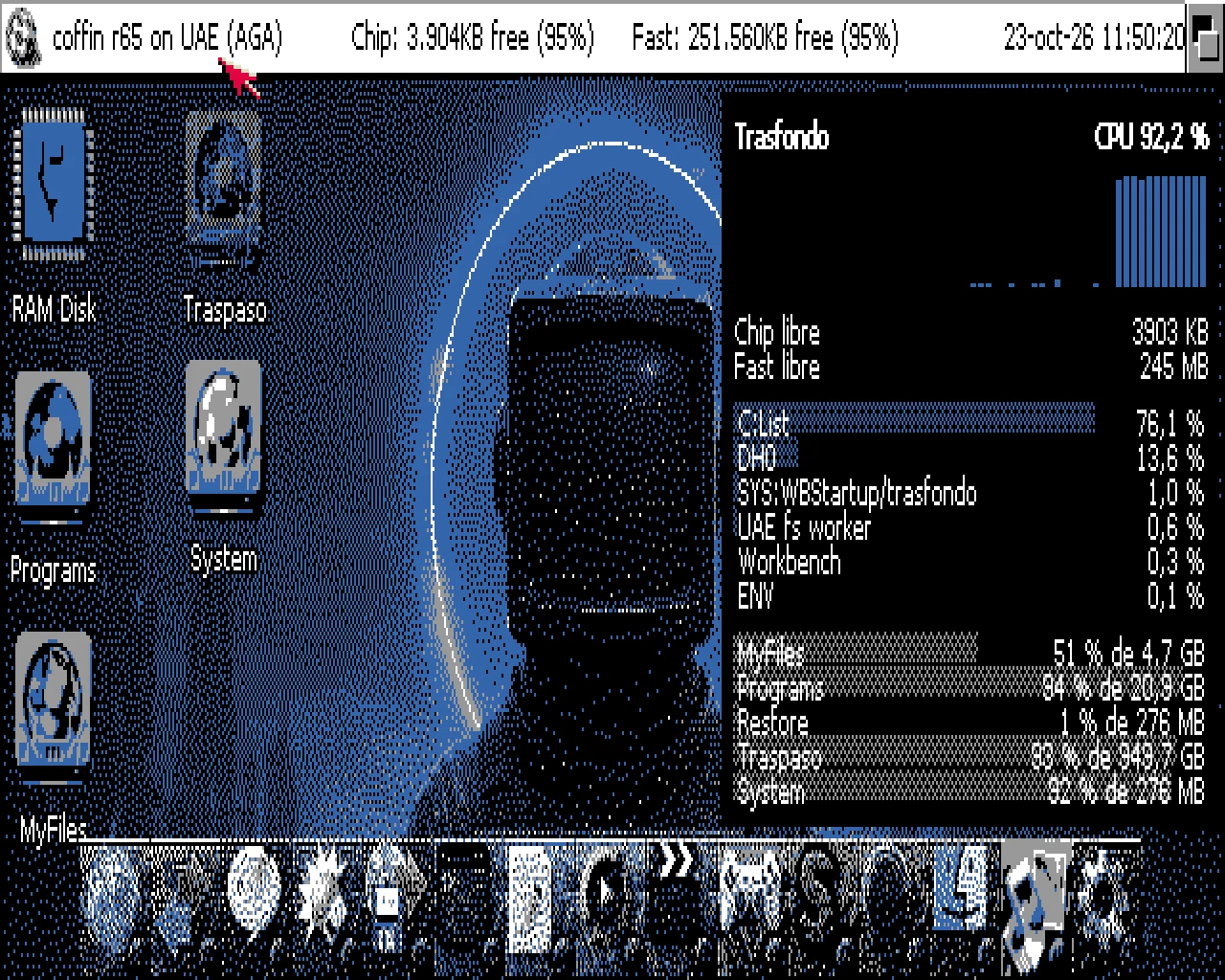
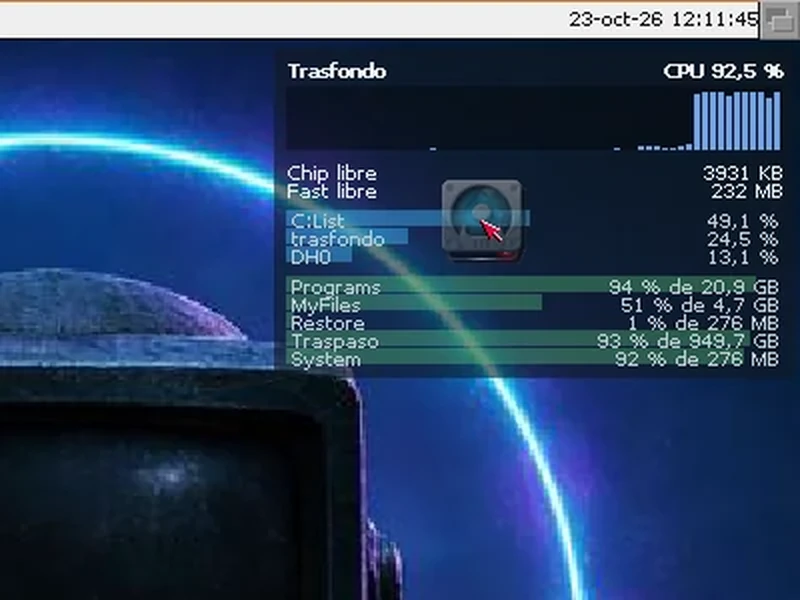
CPU, memory, tasks, disks and network, painted on the Workbench backdrop, behind your icons. It isn't a window: it doesn't get in the way, never comes to the front and never steals your clicks.
54 KB, for AmigaOS 3.0 or later
 Instalar
 trasfondo
 TrasfondoPrefs
 LEEME
LEEMETry it: drag an icon over the panel
Everything in view, at a glance
Top right of your desktop, refreshed every second:
- CPU
- How hard your Amiga is working and how the last minute went. Truly measured, task by task, with exec's task-switch hooks: no guesswork.
- Memory
- The Chip and Fast memory you have left.
- Tasks
- Who's eating the CPU: one to twenty of them, each with its bar.
- Disks
- How full each mounted volume is and its size. And it will never ask you to insert a disk.
- Network and WiFi
- What comes in and goes out per second and, if the driver reports it, your WiFi signal in dBm.
It never hangs. It never waits
No question to a disk or a driver waits longer than a third of a second.
If a volume or a network card doesn't answer, the panel says “no answer” and carries on. If the network drops, you see it at once; when it comes back, the figures come back on their own, with nothing to restart.
Looks good on any screen
With a graphics card in true colour, the panel is translucent and lets your wallpaper show through. On AGA, ECS or 256 colours it gets a solid background, so it always reads well.
Your way
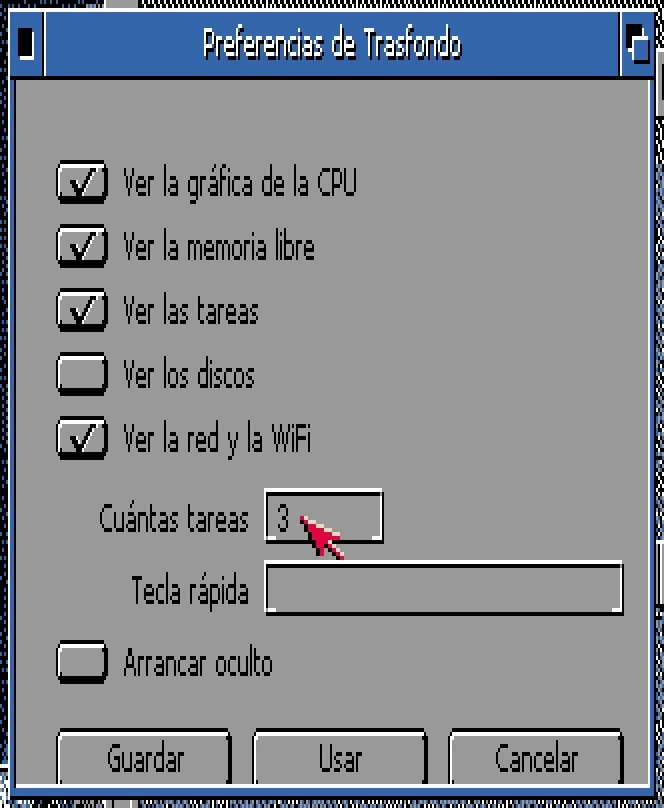
With TrasfondoPrefs (in SYS:Prefs) you choose which sections appear, how many tasks, the hotkey and whether it starts hidden. Use applies it instantly, with nothing to restart; Save keeps it for good.
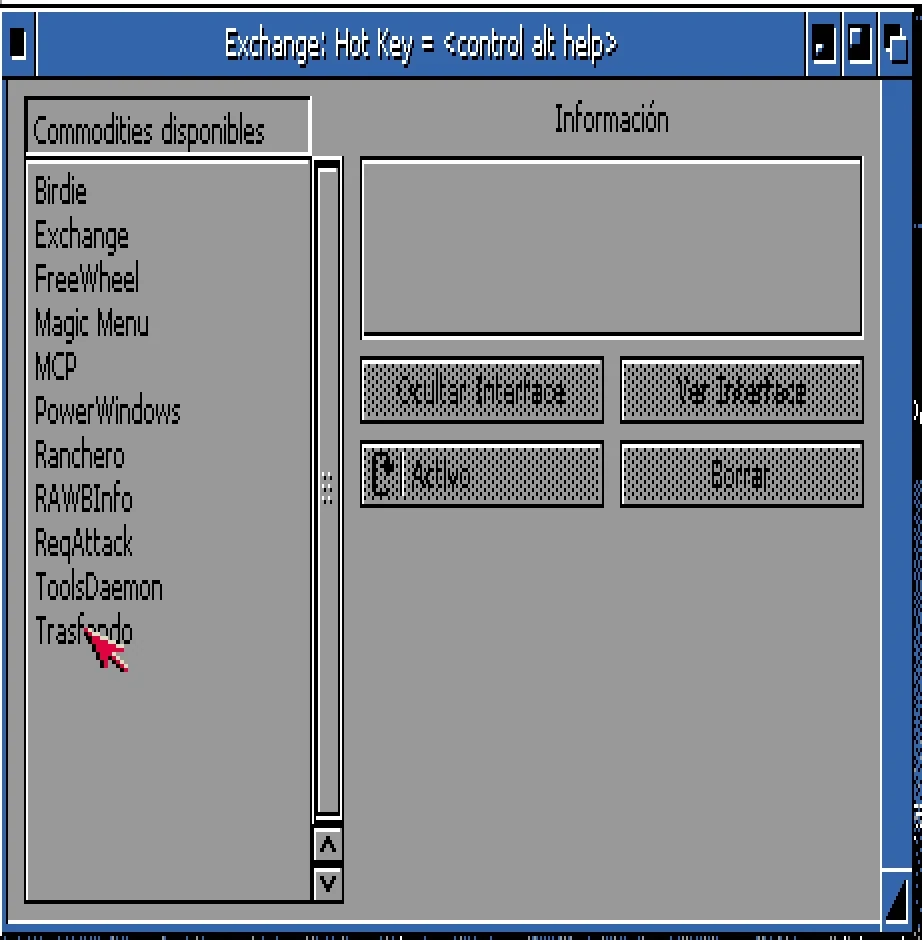
And like any good commodity, it answers to Exchange: hide it, show it, disable it or quit it. If you're more of a tooltypes person, it speaks those too:
MOSTRAR=CPU,DISCOS- which sections appear, and in what order
TAREAS=3- how many tasks
CX_POPKEY=ctrl alt t- the key to hide and show it
CX_POPUP=NO- start hidden
See it in action
Six minutes to see it all, in Spanish with subtitles: installing it and using it, on AGA and with a graphics card.
Ready in a minute
- Unpack trasfondo-0.4.lha anywhere.
- Double-click Instalar. Say yes and it goes to SYS:WBStartup, so it starts with the Workbench.
- Want to stop it? Double-click its icon again, or Remove it in Exchange. The backdrop is left just as it was.
What you need
- AmigaOS 3.0 or later, with the Workbench running.
- Any 68k: it's 68000 code and needs no FPU.
- OCS, ECS, AGA or a graphics card (CyberGraphX or Picasso96).
- For network speed in bytes per second, Roadshow; with other stacks you get packets per second.
Tested on AmigaOS 3.2.3 (emulated A1200, AGA and RTG) and on Coffin R65. Network and WiFi, so far only with a test driver: if you run it with a real card, tell me on GitHub.
Made in Dash
Trasfondo is about 800 lines of Dash, settings window included, and not one line of hand-written C. What the language couldn't do yet (draw on the Workbench backdrop, measure each task's CPU, be a commodity) it learned for Trasfondo, and now every Dash program can.
Discover Dash